Adventure & outdoor camps / Camp staff
Put the right people on the right camp.
See the staff assigned to a camp and review its coverage. Keep staffing decisions connected to the dates your team will work.
The demo needs no sign-up or card. It is your own practice camp.
A few clear steps
Here’s how to do it.
Open the camp
Choose a dated camp from Camps. Under Plan, select Staff.
Set the staffing plan
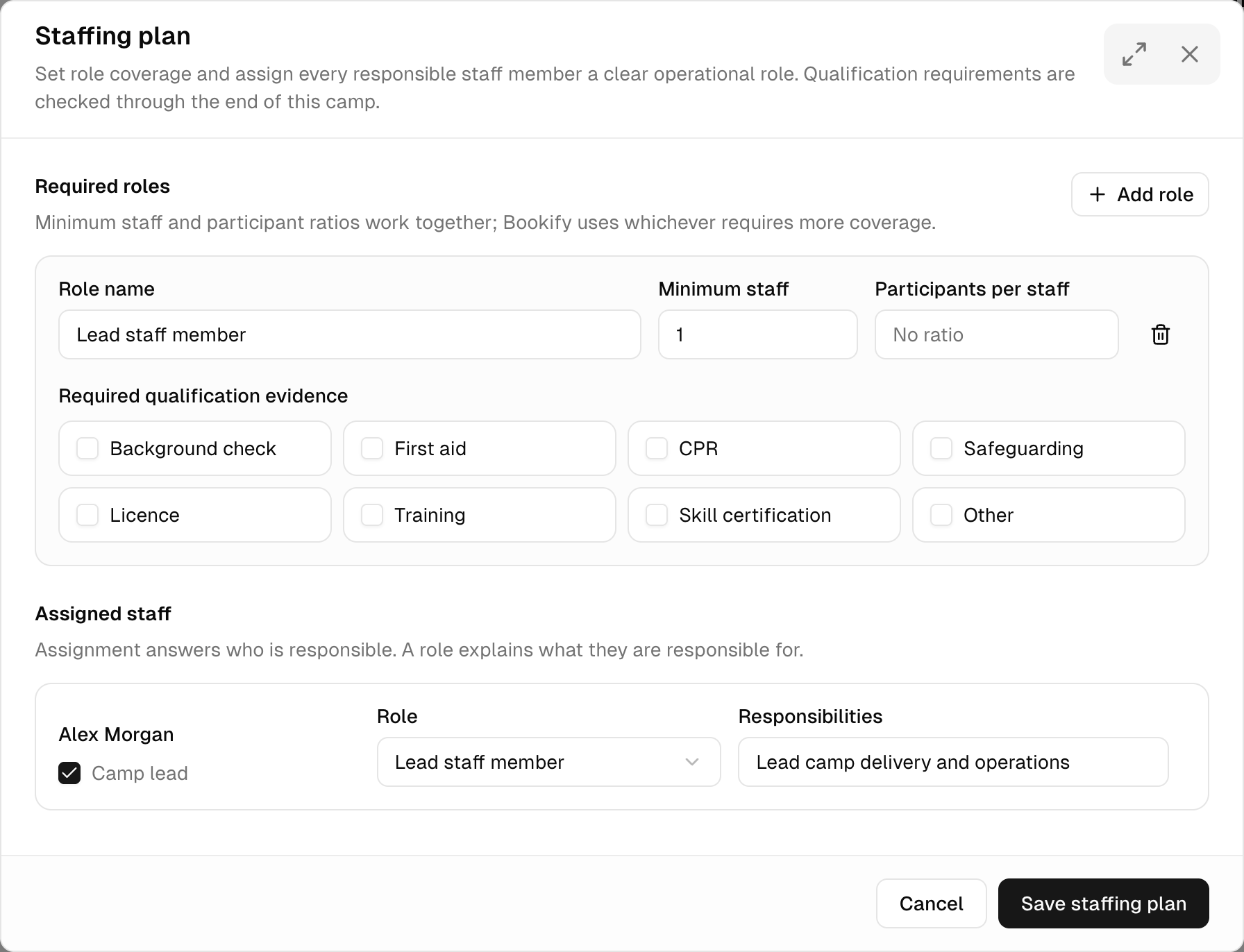
Choose Staffing plan. Add the roles, minimum staff, participant ratios and qualification evidence your camp needs.
Give each person a role
Choose the role for each assigned person and add their responsibilities. Review the whole plan before choosing Save staffing plan.
Try it with Trail & Timber Camp
Read it. Then try it yourself.
Review the team assigned to Trail Skills Week at Trail & Timber Base. A route becomes unsuitable after heavy rain. Keep the approved backup plan and the message to families ready before camp starts.
This is a fictional camp with sample people and bookings. Your demo expires after 24 hours.