Science & coding camps / Camper rosters
Know who is coming, before they arrive.
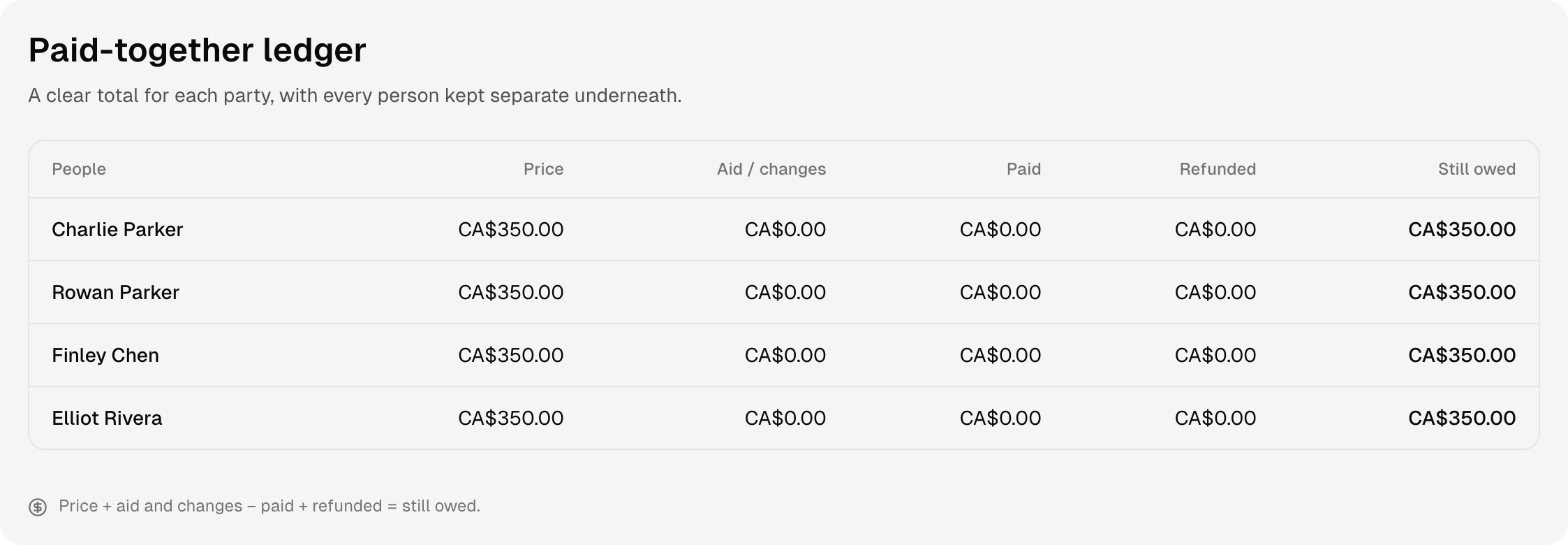
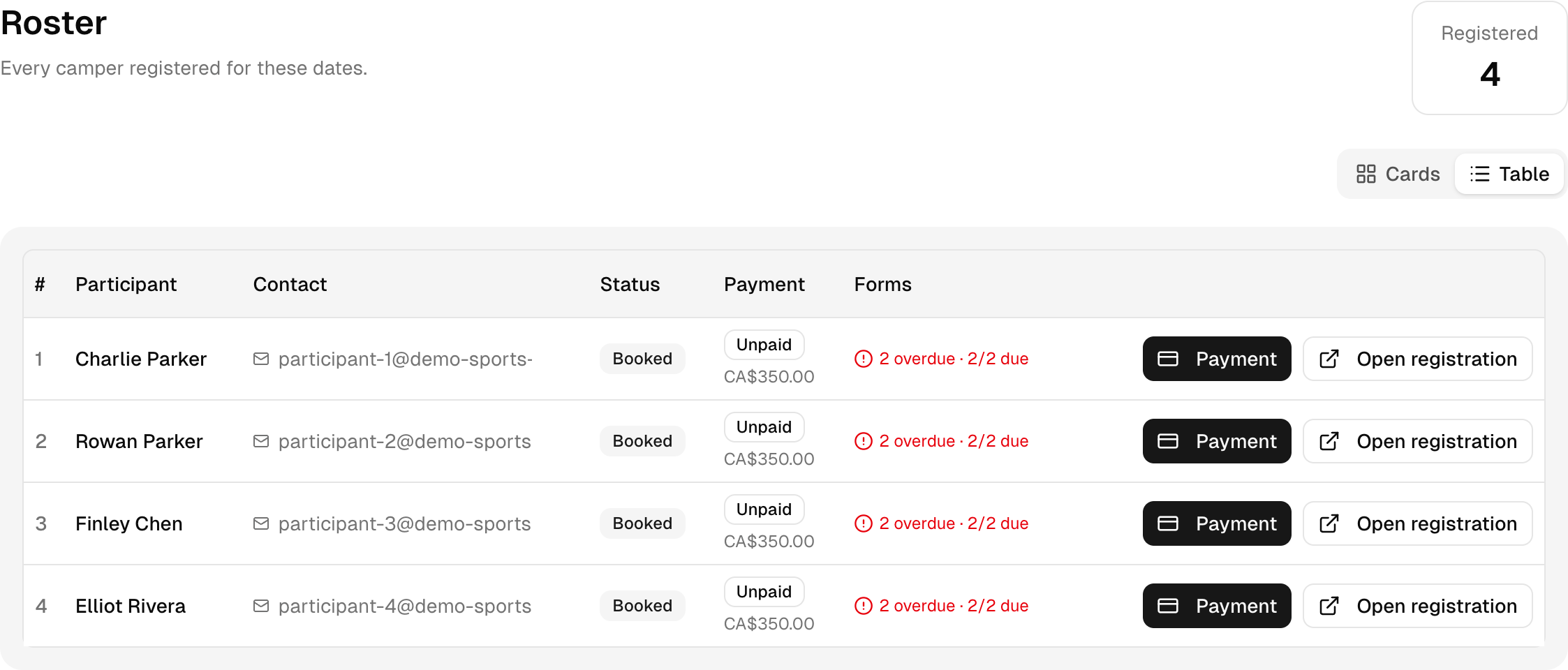
Open one camp's roster to see its participants, registration status, balances and forms that still need attention.
The demo needs no sign-up or card. It is your own practice camp.
A few clear steps
Here’s how to do it.
Open the right week
In Camps, choose the camp and date range you need. Select Roster under Plan.
Choose your view
Use Cards or Table to see the registered participants. Check the registered total against your capacity.
Follow up on a record
Choose Open registration to review one booking. Check forms and balances before the first day.
Try it with Bright Sparks Lab
Read it. Then try it yourself.
Open the first Build Your First Robot run. It already has four fictional campers, so you can explore a useful roster straight away.
This is a fictional camp with sample people and bookings. Your demo expires after 24 hours.