
Bookify Camps / Camp registration
Book a place. Keep the details together.
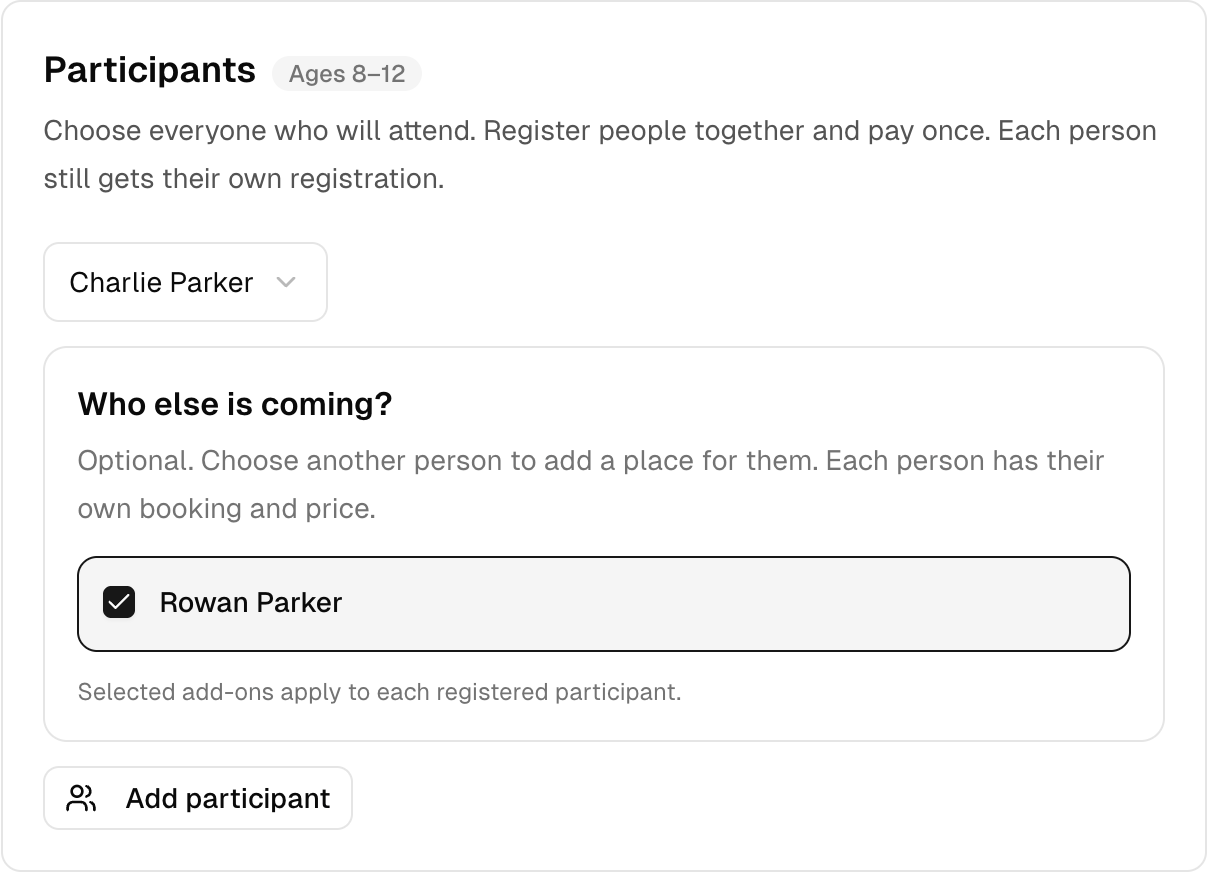
Let the person booking choose who is coming, check optional extras and review the total before they finish.
The demo needs no sign-up or card. It is your own practice camp.
A few clear steps
Here’s how to do it.
Choose a camp and date
Open a camp on the booking page. Check the dates, age range and places before starting the booking.
Choose who is coming
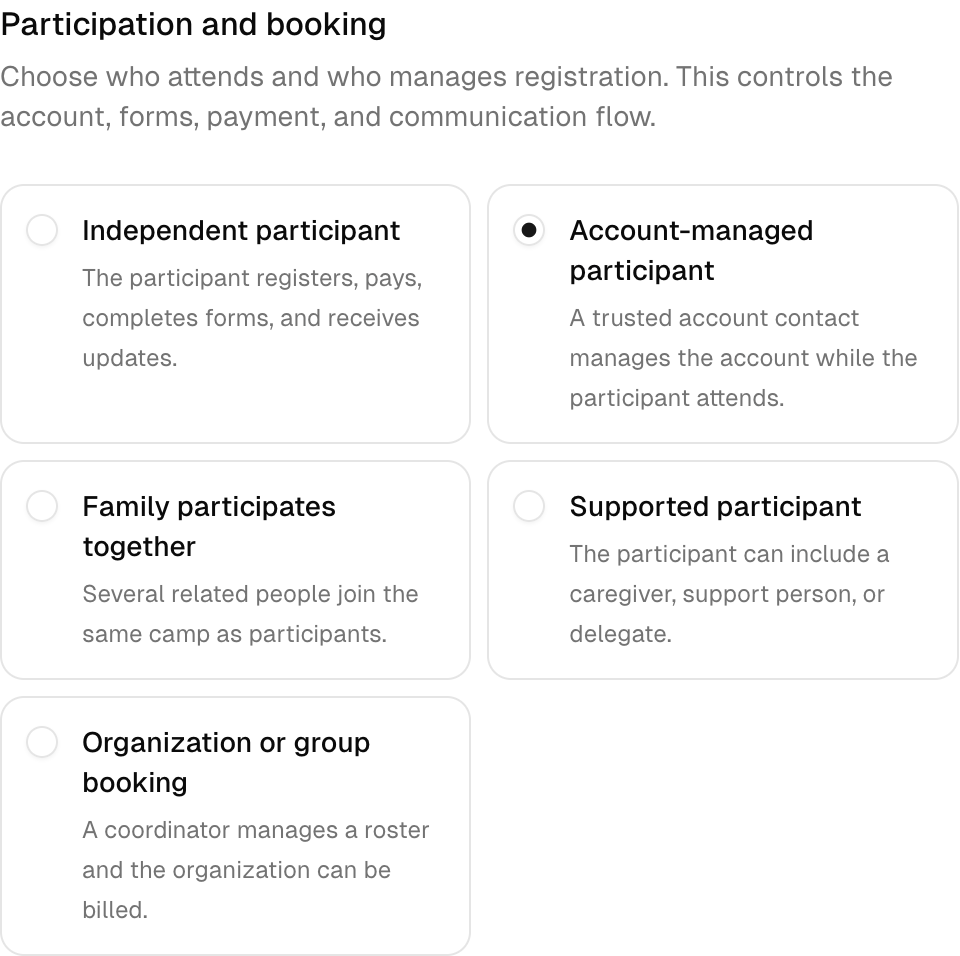
Use a family account for children, a participant account for adults, or your camp's family booking setup. Where enabled, add another person to the same booking.
Review the details
Check the participants, optional extras and payment summary. The demo uses Pay After, so no real card payment is taken.
Try it with Next Play Sports Camp
Read it. Then try it yourself.
Try booking Basketball Fundamentals. Two ten-year-olds have very different experience. Ask about experience as well as age, then let a coach review group placement.
This is a fictional camp with sample people and bookings. Your demo expires after 24 hours.
Keep exploring.
Reusable camp templates
Keep the name, age rules, price and booking settings in a camp template. Use that template when you add another set of dates.
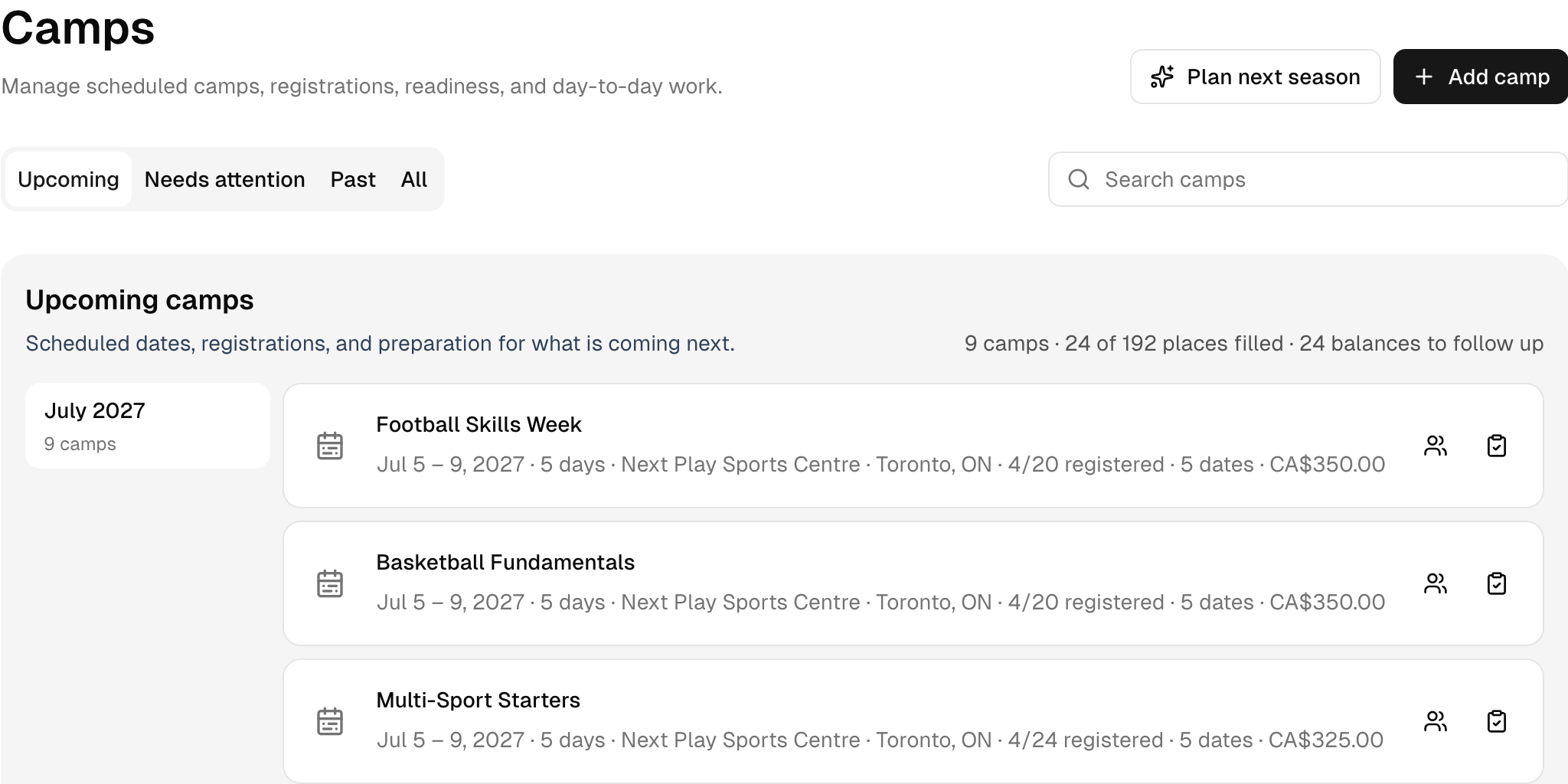
Dates & available places
See upcoming camps together, with their dates, venue, price and registered places. Open the right week without searching through a spreadsheet.